Control your field teams
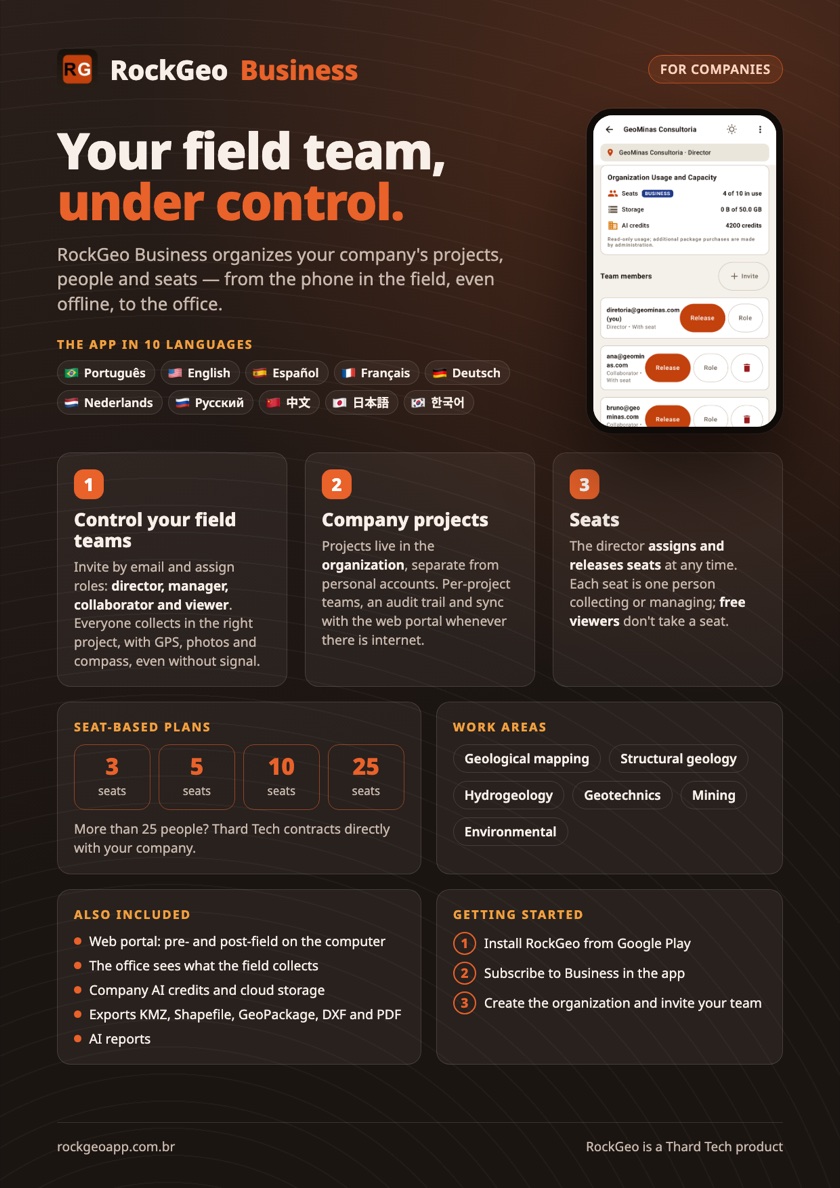
Invite by email and assign roles: director, manager, collaborator and viewer. Everyone collects in the right project, with GPS, photos and compass, even without signal.
Your company's projects, people and seats in one place, from the phone in the field, even offline, to the office. For consultancies, mining companies and geology, geotechnical and environmental firms, from small teams to global giants.
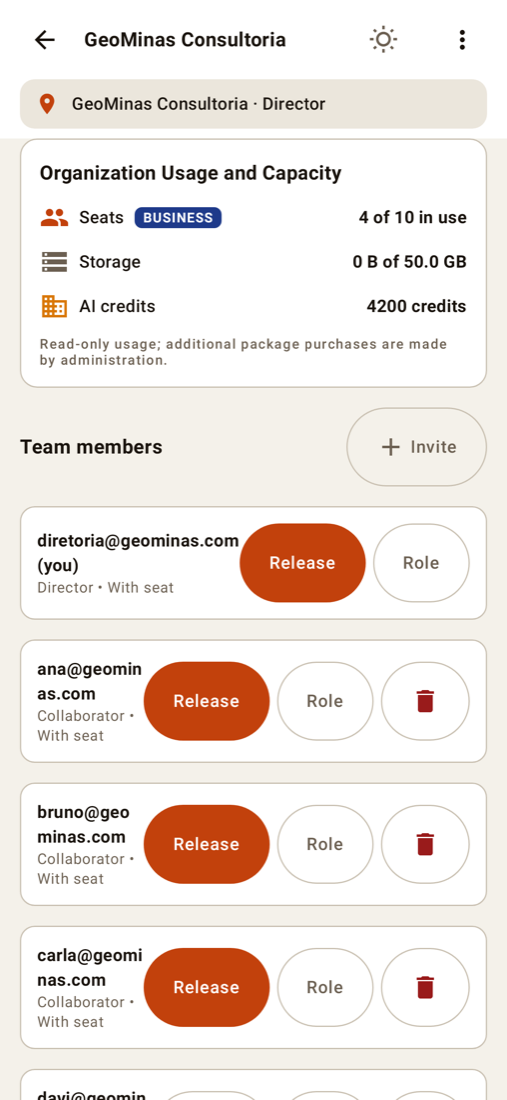
Invite by email and assign roles: director, manager, collaborator and viewer. Everyone collects in the right project, with GPS, photos and compass, even without signal.
Projects live in the organization, separate from personal accounts. Per-project teams, an audit trail and big-screen work on the web portal.
The director assigns and releases seats at any time. Each seat is one person collecting or managing; free viewers don't take a seat.
Everything your team collects on the phone shows up in the RockGeo Cloud portal on the computer. From planning to the report, everyone works on the same data.
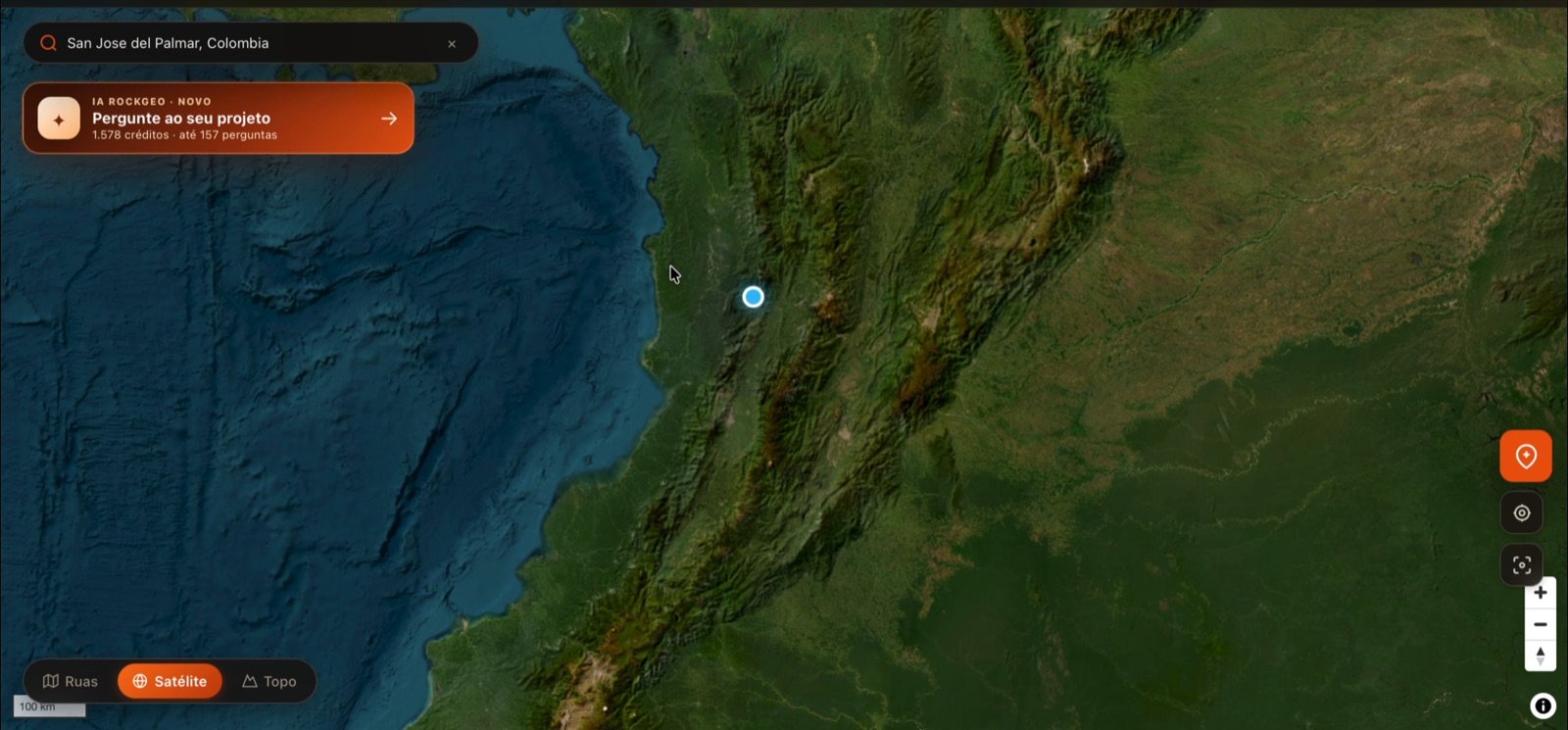
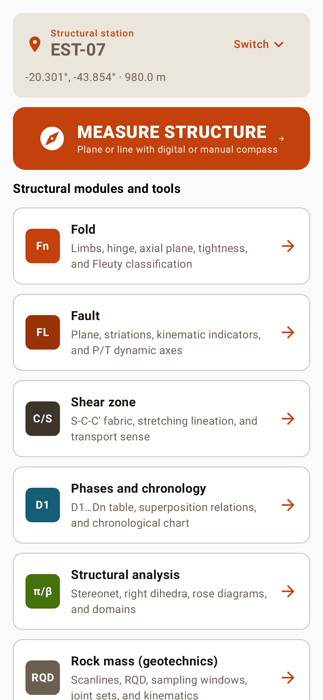
All your team needs is internet at some point: data syncs to the cloud, the office gets full access and everyone sees each other's points in the same project.
Set up the project, the field plan and the project data in the portal, on a big screen. The team gets everything on their phones before leaving.
The team collects even without signal. Whenever there is internet, points, photos and measurements sync and show up in the portal for the office.
Review and edit the data on the computer, ask the project AI, generate the report and export to KMZ, Shapefile, GeoPackage, DXF or PDF.
Tap a role to see what it does in the organization.
Subscribes to Business and runs the company organization.
Coordinates the company's projects day to day.
The people who go to the field and produce the data.
Clients, partners and reviewers follow along at no extra cost.
Monthly subscription through Google Play. Prices are shown in the app, in your local currency.
More than 25 people? Thard Tech contracts directly with your company: suporte@thardtech.com.br
Exports KMZ · Shapefile · GeoPackage · DXF · PDF
Everyone uses RockGeo in their own language, on the same project.
Install, subscribe and invite your team today.